How to Create a Vintage CRT Effect on Your Photos
Vintage CRT effects are one of the most popular ways to give modern photos a nostalgic, retro TV look with scan lines, glow and subtle screen distortion. Whether you are designing album covers, social media posts, posters or digital art, a good CRT effect can instantly transport your images back to the era of cathode ray tube screens and analog noise.
In this guide, you•ll learn exactly how to create a vintage CRT effect on your photos, what makes a CRT look feel authentic, and how to get that retro TV vibe in just a few clicks using a free online CRT photo editor. You•ll also see recommended settings, common mistakes to avoid, and practical tips for using this effect on music artwork, Y2K aesthetics, vaporwave designs and more.
Try DreamyGlow Free Now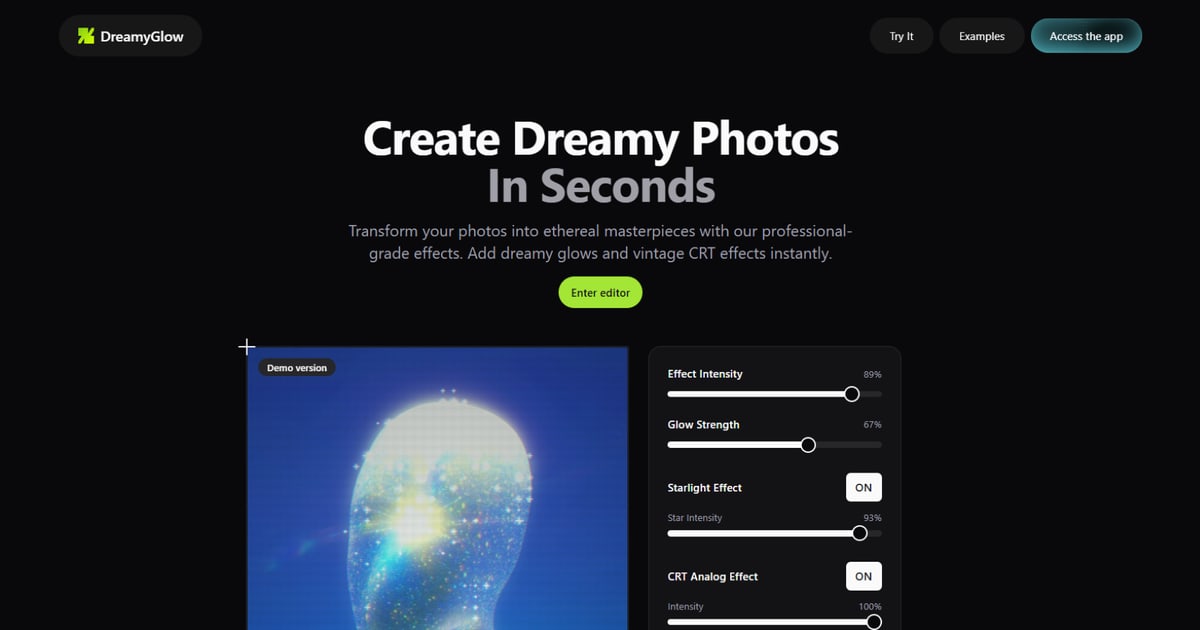
What Is a CRT Effect?
A CRT effect simulates the look of old cathode ray tube televisions and computer monitors, including horizontal scan lines, curved screens, color bleed and a soft phosphor glow. Instead of a perfectly sharp, flat digital image, you get a textured, imperfect display that feels analog, noisy and full of character.
The key ingredients of a convincing vintage CRT photo effect are:
- Scan lines • horizontal lines that mimic the way CRTs drew images line by line.
- Phosphor glow • a soft halo or bloom around bright areas, especially text and high-contrast edges.
- Color bleed / RGB shift • slight separation of red, green and blue channels that creates fringes and chromatic errors.
- Curved screen distortion • a subtle barrel distortion that makes the image bow outward like a rounded TV screen.
- Noise and grain • random noise, static or interference that adds texture and age to the image.
You can build all these elements by hand in software like Photoshop, but modern online tools and smart filters make it much faster to apply a high-quality CRT effect without advanced editing skills.
When to Use a Vintage CRT Effect
A CRT effect is not for every photo, but used in the right context it can dramatically boost the mood and storytelling of your visuals.
- Music and album artwork • Perfect for retro, synthwave, vaporwave, Y2K or lo?fi projects where you want a nostalgic screen vibe on covers, singles and promo images.
- Social media posts and stories • A CRT retro TV filter helps your posts stand out in the feed with a distinctive glitchy, analog aesthetic that feels different from standard filters.
- Gaming and tech visuals • Ideal for screenshots, fan art or mockups inspired by old consoles, arcades and early computer interfaces.
- Poster and branding design • Great for events, parties, festivals or brands that lean into 80s/90s culture, cyberpunk or retro?futuristic themes.
- Digital art and illustrations • Adding a CRT layer on top of digital art can make it feel like it was captured from an old TV or monitor instead of rendered in a modern app.
Whenever you want to evoke nostalgia, imperfection, or a "screen within a screen" look, a vintage CRT effect is a strong choice.
How to Create a Vintage CRT Effect Online with DreamyGlow
While many tutorials show how to build this effect manually in Photoshop or Affinity Photo, using a browser-based CRT photo editor is much faster for everyday work. DreamyGlow•s Vintage CRT style filter lets you apply a retro TV look in a few simple steps, directly in your browser.
Step 1 • Upload your image
Open DreamyGlow and upload the photo or artwork you want to transform. High-contrast images with bright elements, text, UI, logos or characters tend to work best because CRT effects emphasize edges and highlights.
For album art or posters, start from a clean, flat design. For photos, choose images that already match the mood you want (night city lights, neon, old computer setups, etc.) so the CRT effect enhances the vibe instead of trying to fix a mismatched base.
Step 2 • Choose the Vintage CRT effect
In the list of available dreamy filters, select the Vintage CRT or retro TV effect. This preset combines scan lines, curvature, glow and slight RGB shift to create an authentic CRT look out of the box.
You•ll see a live preview of your photo on a CRT-style screen. This lets you quickly judge how strong the effect feels and how much detail remains in text, faces or logos before you commit.
Step 3 • Adjust scan lines and screen glow
Use the dedicated controls to tune the core CRT elements:
- Scan line intensity • Controls how visible the horizontal lines are. Stronger scan lines give a more aggressive, retro look; lighter lines feel more subtle and modern.
- Glow / bloom strength • Adjust how much bright areas glow. Too much glow can wash out text and details, but a moderate amount creates a beautiful phosphor effect.
- Screen contrast and brightness • Fine-tune these so blacks stay deep and highlights are bright without completely clipping. CRT screens are often punchy but not flat.
Aim for a balance where the CRT texture is clearly visible at normal viewing sizes, but the underlying image is still readable and recognizable.
Step 4 • Add curvature and distortion
A big part of the vintage TV feeling comes from the curved glass and slight geometric distortion.
Use the curvature setting to make the image bow outward slightly, mimicking a rounded cathode ray tube. Add a touch of warp or perspective distortion so the edges feel less perfectly rectangular and more like an old TV frame.
Optionally, darken the corners with a vignette to simulate how CRT screens often faded toward the edges.
Small, subtle distortions usually look more realistic than extreme warping.
Step 5 • Introduce color bleed and noise
To finish the retro TV look, add controlled imperfections:
- RGB shift / chromatic aberration • Slightly separate red, green and blue channels so bright edges show colored fringes. This recreates how CRT phosphors and electron beams never aligned perfectly.
- Noise and static • A thin layer of grain or noise makes the image feel less digitally clean and more like an analog broadcast.
- Optional interference • Light banding, flicker or horizontal glitches can emphasize the "broken TV" feeling for more experimental designs.
Keep these elements light enough that the content is still legible, especially for text and logos.
Step 6 • Export your CRT-styled photo
When you•re happy with the vintage CRT effect, export the image in high resolution. DreamyGlow processes everything directly in your browser and lets you download a watermarked preview, or a full-resolution file from $1.99 that•s ready for album covers, socials, print or video overlays.
Recommended CRT Settings for Different Projects
There is no single perfect CRT preset, but some starting points work well for common use cases.
Album covers and music artwork
For music projects, you usually want a strong, iconic retro look without completely destroying readability.
- Scan lines • Medium to strong, so they are visible even on streaming platforms and small thumbnails.
- Glow • Medium, focused on titles and key graphics.
- Curvature • Moderate, to clearly suggest an old TV without deforming text too much.
- Noise • Medium, enough to feel analog but not muddy.
Combine this with bold typography and simple shapes for maximum impact.
Social media posts and stories
Feeds move fast, so your CRT effect has to be visible at small sizes.
- Increase scan line contrast slightly so the texture reads on phones.
- Use medium glow and a bit of RGB shift for a fun, trendy Y2K or vaporwave aesthetic.
- Keep important text large and high-contrast before applying the CRT layer.
Test your posts at actual Instagram/TikTok preview sizes to ensure they stay clear.
UI, screenshots and tech visuals
For retro computer UIs, game screenshots or fake operating systems:
- Use finer scan lines with slightly lower intensity so the effect feels authentic but does not overpower the interface.
- Emphasize RGB shift and subtle curvature over heavy glow.
- Keep colors somewhat limited to mimic old displays.
The goal is to feel like a real old monitor, not a generic glitch filter.
Posters, branding and print
For large-format designs, CRT texture must hold up at big sizes.
- Use higher-resolution noise and scan lines so they don•t look blocky when printed.
- Keep glow more controlled to avoid washing out details on paper.
Test different export sizes to find the sweet spot where the CRT look feels authentic but still sharp.
Common Vintage CRT Effect Mistakes to Avoid
CRT effects are easy to overdo. Here are the most frequent issues and how to fix them.
- Scan lines too strong • If your image looks like a dark striped mess, reduce line opacity or thickness until the content is easy to read again.
- Glow washing everything out • If highlights lose all detail, lower glow strength and slightly reduce overall brightness or increase contrast.
- Too much distortion • Extreme curvature or warp quickly becomes distracting. Dial it back so the effect is noticeable but not comical.
- Colors look muddy • Heavy noise and low contrast can desaturate your palette. After applying the CRT effect, gently boost saturation or tweak color balance to restore richness.
- Text becomes illegible • For designs with important text, always keep a version with crisp typography underneath and adjust CRT intensity until everything stays readable.
Thoughtful, moderate use of each element produces a much more professional retro TV look.
Frequently Asked Questions About CRT Photo Effects
Bring Authentic Vintage CRT Magic to Your Photos
A vintage CRT effect is one of the most powerful tools for adding instant nostalgia, personality and retro charm to your photos and designs. By combining scan lines, glow, curvature, RGB shift and noise in a controlled way, you can turn flat digital images into convincing retro TV frames that feel straight out of another era.
Open DreamyGlow, upload your image and try the Vintage CRT effect for yourself. Adjust scan lines, glow and distortion until you love the look, then download a watermarked preview or a high-resolution clean version ready for album covers, socials, posters or any retro-themed project.
Ready to create vintage CRT photos?
Launch DreamyGlow and apply the Vintage CRT effect in seconds. Turn any modern image into an authentic retro TV frame with no complex software.